
Maintaining your DEWALT 20V MAX Cordless Drill Driver Set is essential for ensuring its reliability and longevity. Whether you’re experiencing performance issues or want to keep your tool in top shape, this comprehensive troubleshooting and care guide provides step-by-step instructions to help you diagnose problems, perform routine maintenance, and extend the life of your drill and batteries.

Get garden gear delivered free — and shop member deals
- Fast, free delivery on millions of items
- Access to Prime Big Deal Days deals on October 6–7
- Prime Video, Amazon Music and more included
By following these practical tips, you’ll be able to handle common issues safely and effectively, minimizing downtime and costly repairs. Let’s get started with what you need to know to keep your DEWALT drill performing at its best.
Key Takeaways
| Battery Care | Proper charging and storage extend battery life. |
| Performance Troubleshooting | Identify common issues like reduced power or overheating. |
| Routine Maintenance | Regular cleaning and inspections prevent breakdowns. |
| Safe Handling | Always disconnect power before maintenance or troubleshooting. |
| Tool Longevity | Proper care ensures your drill remains reliable for years. |
Understanding Your DEWALT Drill’s Basic Components
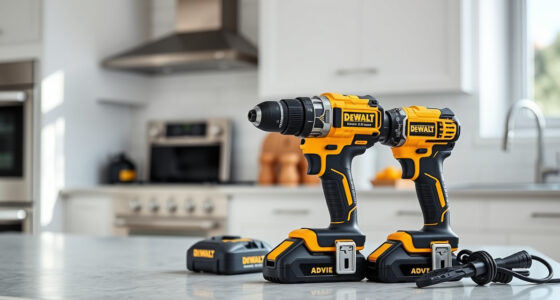
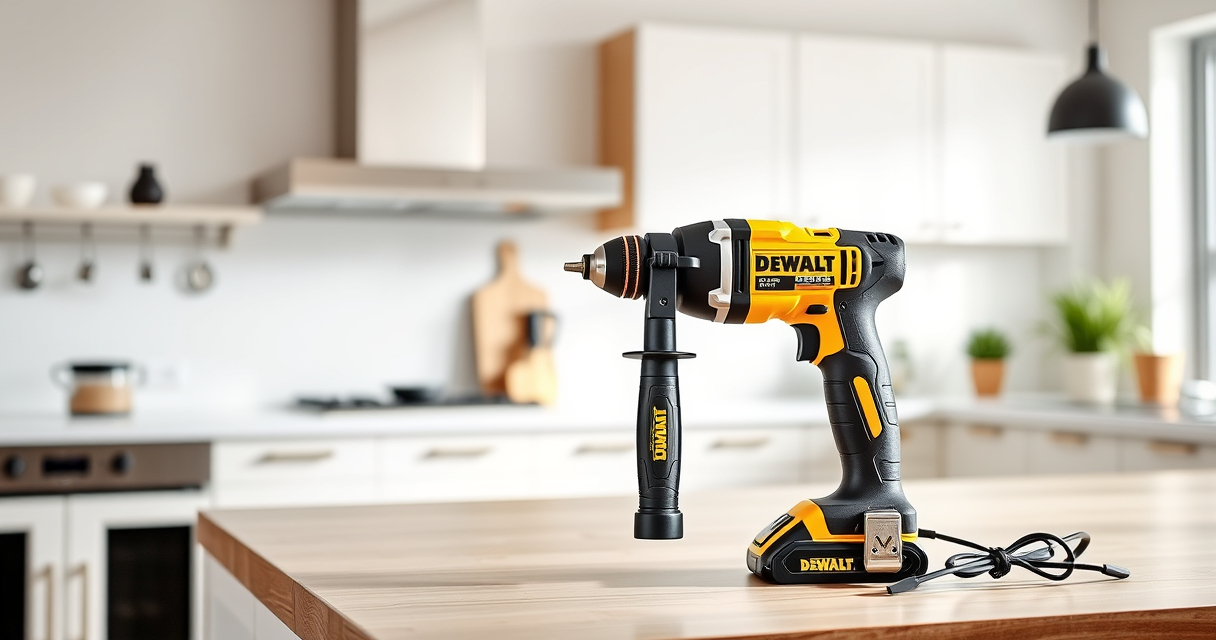
Before troubleshooting, familiarize yourself with the core parts of your DEWALT 20V MAX Cordless Drill Driver Set. Key components include the brushless motor, 2-speed transmission, 1/2-inch ratcheting chuck, battery pack, LED work light, and trigger. Knowing these parts helps you identify where issues may originate and how to approach repairs or maintenance.
The brushless motor delivers more run time, while the LED light enhances visibility in dim areas. The battery pack is crucial for power, and its proper care directly impacts tool performance. Regular inspection of these components is recommended to ensure everything functions smoothly.
Step-by-Step Troubleshooting Common Issues
- Tool Not Powering On: Ensure the battery is fully charged and properly inserted. Check for debris or dirt in the battery contacts and clean gently with a dry cloth. If the tool still doesn’t turn on, try a different fully charged battery.
- Reduced Power or Performance: Confirm the battery charge level. Clean the ventilation vents and the chuck area to prevent overheating and debris buildup. If performance remains poor, consider replacing the battery or inspecting the motor for damage.
- Overheating During Use: Allow the drill to cool down and avoid continuous operation. Check for obstructions or excessive load. Ensure the battery and motor vents are clear of dust and debris.
- Chuck or Bit Slipping: Tighten the chuck securely. If the problem persists, replace the chuck or check for wear and tear on the bit or shank.
- LED Light Not Working: Verify the trigger is functioning and the battery is charged. Replace the LED if defective, following safety procedures.
Routine Maintenance for Longevity and Performance
- Cleaning: Regularly wipe the exterior with a dry cloth. Use compressed air to clear dust from vents and motor areas.
- Battery Care: Always store batteries in a cool, dry place. Avoid deep discharges; recharge when the battery drops below 20% charge.
- Inspection: Periodically check for loose screws, damaged parts, or corrosion. Replace worn or damaged parts immediately.
- Lubrication: The chuck may require occasional lubrication with light machine oil to ensure smooth operation.
- Storage: Store your drill and batteries in a dry, protected area. Remove batteries if the tool will be unused for extended periods.
Safety Tips and Precautions During Maintenance
Always disconnect the battery before performing any maintenance or troubleshooting to prevent accidental activation. Wear safety glasses and gloves when cleaning or inspecting internal parts. Never use water or harsh chemicals on electrical components. Follow manufacturer guidelines for battery handling and disposal to avoid risks of fire or injury.
When to Seek Professional Repair
If your DEWALT drill exhibits persistent issues after troubleshooting, such as motor failure, wiring problems, or persistent overheating, it’s best to contact authorized service centers. Attempting complex repairs without proper knowledge can cause further damage or void your warranty. For warranty-covered repairs, always keep your purchase receipt and warranty documentation handy.
The Products in This Guide

DEWALT 20V MAX Cordless Drill Driver Set
- ✔ Dimensions: 7.6 in.
- ✔ Weight: Lightweight
- ✔ Warranty: 3 years

DEWALT Drill Bit Set
- ✔ Set Size: 14 pieces
- ✔ Tip Angle: 135 degrees
- ✔ Material: High Speed Steel
DEWALT 20V MAX Cordless Drill Driver Set
The DEWALT 20V MAX Cordless Drill Driver Set is a reliable, lightweight, and powerful tool designed for a wide range of tasks. Its brushless motor delivers more run time, and the 2-speed transmission allows for precise control. Regular maintenance keeps this drill performing at its best, extending its service life.
Pros:
- Long-lasting brushless motor
- Lightweight and ergonomic design
- Efficient LED light
- Includes 2.0 Ah battery and charger
Cons:
- Battery life may diminish with heavy use
- Chuck may loosen over time if not tightened properly
Best for: General-purpose drilling, fastening, and DIY projects in tight spaces
Not ideal for: Heavy-duty industrial applications or prolonged continuous use
Bottom line: A versatile, reliable drill ideal for both DIY enthusiasts and professionals, with regular maintenance ensuring optimal performance.
DEWALT Drill Bit Set
Pair your DEWALT drill with this 14-piece drill bit set featuring 135-degree split point tips and heavy-duty HSS construction. It’s designed for durability and precision across various materials.
Pros:
- Durable HSS steel
- Split point reduces walking
- Easy size identification
- Corrosion-resistant coating
Cons:
- Limited to drilling applications
- May require proper bit storage
Best for: General-purpose drilling in plastic, wood, and metal
Not ideal for: Heavy industrial drilling or large-scale projects
Bottom line: A reliable, durable drill bit set that complements your DEWALT drill for versatile applications.
Frequently Asked Questions
How often should I clean my DEWALT drill?
It’s recommended to clean your drill after each use, especially if used in dusty environments. Use compressed air to blow out vents and wipe the exterior with a dry cloth.
What is the best way to store batteries?
Store batteries in a cool, dry place away from direct sunlight. Remove them from the charger and tool if not used for extended periods to prevent capacity loss.
Can I use third-party batteries with my DEWALT drill?
For optimal performance and safety, it’s best to use DEWALT-approved batteries. Non-compatible batteries may damage the tool or void your warranty.
Why is my drill overheating?
Overheating can occur from prolonged use or heavy loads. Allow the tool to cool down between uses, and check for debris blocking vents or excessive load on the motor.
How do I replace the chuck?
If the chuck is worn or slipping, use a chuck key (if applicable) to loosen and remove it, then install a new chuck following the manufacturer’s instructions. Ensure it is tightly secured.
Keep Your DEWALT Drill in Peak Condition
Proper maintenance and troubleshooting can significantly extend the life of your DEWALT 20V MAX Cordless Drill Driver Set. Regular cleaning, careful handling, and timely repairs ensure your tool remains dependable for all your projects. Remember to always follow safety guidelines and consult professional repair services when needed to keep your investment in top shape for years to come.
Affiliate disclosure: As an Amazon Associate we earn from qualifying purchases. Prices and availability are accurate as of the time of publishing.
Halloween Picks
halloween
As an affiliate, we earn on qualifying purchases.