If your DEWALT 20V MAX battery isn’t charging, it can hinder your workflow and cause frustration. This guide walks you through common causes and straightforward solutions to get your power tools back in action quickly and safely.

Get garden gear delivered free — and shop member deals
- Fast, free delivery on millions of items
- Access to Prime Big Deal Days deals on October 6–7
- Prime Video, Amazon Music and more included
From checking the charger and battery to inspecting connections, follow these practical steps to diagnose and fix charging issues effectively.
Key Takeaways
| Check the charger and battery connection | Ensure the battery is properly seated and the charger is plugged in correctly. |
| Inspect for damage or dirt | Look for visible damage or debris on the battery contacts or charger port. |
| Test with a different charger or battery | Use a known good charger or battery to identify faulty parts. |
| Allow the battery to cool down | Overheating can prevent charging; let it cool before retrying. |
| Replace if faulty | If the battery or charger is defective, replacing them may be necessary. |
Ensure Proper Connection
- Remove the battery from your DEWALT tool and inspect the contacts for dirt or corrosion.
- Ensure the battery is fully seated in the charger and clicks into place.
- Plug the charger into a working power outlet, making sure the connection is secure.
Inspect the Charger and Battery
- Check for any visible damage, cracks, or debris on the charger and battery contacts.
- Clean contacts gently with a dry cloth if dirt or corrosion is present.
- Try charging a different battery if available, or use a different compatible charger to rule out hardware issues.
Allow the Battery to Cool
If the battery feels hot, wait at least 15-20 minutes before attempting to charge again. Overheated batteries may temporarily refuse to charge to prevent damage.
Test and Replace Components
If your battery still won’t charge, test with a known good charger or battery. If the issue persists, consider replacing the faulty component.
Safety Tips and Warnings
- Always unplug the charger before inspecting or cleaning.
- Do not attempt to open or repair the battery or charger yourself, as it can be hazardous.
- Keep batteries away from heat sources and moisture.
The Products in This Guide

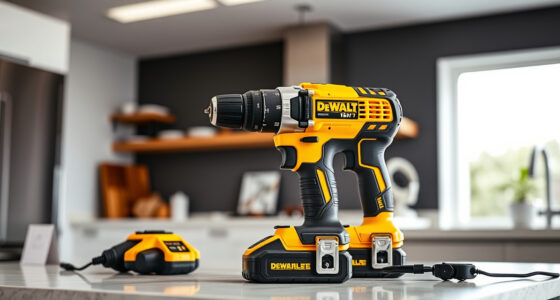
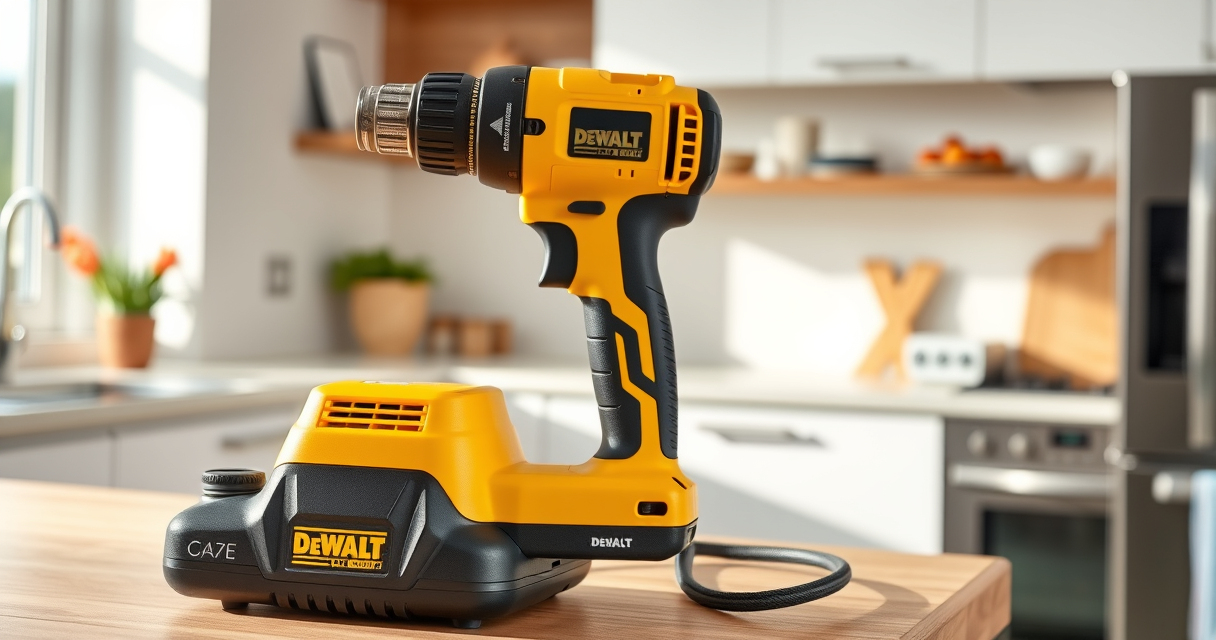
DEWALT 20V MAX Cordless Drill Driver Set
- ✔ Length: 7.6 inches
- ✔ Weight: 3.4 lbs
- ✔ LED light: Yes

DEWALT Drill Bit Set
- ✔ Tip angle: 135°
- ✔ Application: Plastic, wood, metal
- ✔ Weight: 0.5 lbs
DEWALT 20V MAX Cordless Drill Driver Set
The DEWALT 20V MAX Cordless Drill Driver Set is a versatile, lightweight tool designed for a wide range of applications. Its brushless motor delivers more run time, making it a dependable choice for demanding jobs, especially when paired with a healthy battery charge.
Pros:
- Brushless motor for longer run time
- Compact and lightweight
- Ergonomic grip for comfort
- LED work light for dim areas
Cons:
- Battery life depends on condition
- Charger may take time to fully recharge
- Limited to 2.0 Ah batteries included
Best for: General purpose drilling and fastening in tight spaces
Not ideal for: Heavy-duty industrial tasks requiring sustained power
Bottom line: A compact, efficient drill ideal for most household and professional tasks.
DEWALT Drill Bit Set
Complement your DEWALT drill with this 14-piece drill bit set featuring 135-degree split points and durable high-speed steel construction. Perfect for plastic, wood, and metal projects.
Pros:
- Wide variety of sizes
- Corrosion-resistant coating
- Fast drilling with split point
- Durable high-speed steel
Cons:
- No carrying case included
- May be overkill for small tasks
- Requires compatible drill for best performance
Best for: All-purpose drilling in various materials
Not ideal for: Heavy-duty industrial drilling needs
Bottom line: A versatile drill bit set that enhances your drilling projects.
Frequently Asked Questions
Why won’t my DEWALT battery charge?
Common reasons include poor contact with the charger, damaged battery or charger, overheating, or a depleted battery that needs replacement.
How can I tell if my battery or charger is faulty?
Test the battery with another compatible charger or try charging a known good battery. Visible damage or corrosion also indicates replacement may be needed.
Is it safe to open the battery or charger?
No, opening these devices can be hazardous due to internal components and risk of electric shock. Always seek professional service or replacement.
How long should a DEWALT battery take to charge?
Typically, a DEWALT charger takes around 60 minutes to fully charge a 2.0 Ah battery, but this can vary based on the charger model and battery condition.
Getting Your DEWALT Battery Charging Again
By following these troubleshooting steps, you can often resolve issues with your DEWALT battery not charging. Remember to inspect connections, allow batteries to cool, and test with different components when possible. If problems persist, replacing the faulty parts is usually the best solution to ensure safe and reliable operation of your power tools.
Affiliate disclosure: As an Amazon Associate we earn from qualifying purchases. Prices and availability are accurate as of the time of publishing.
Fall yard work Picks
leaf blowers
As an affiliate, we earn on qualifying purchases.