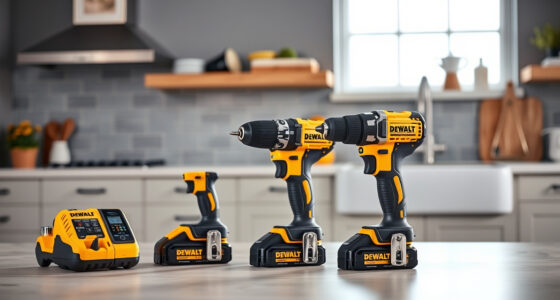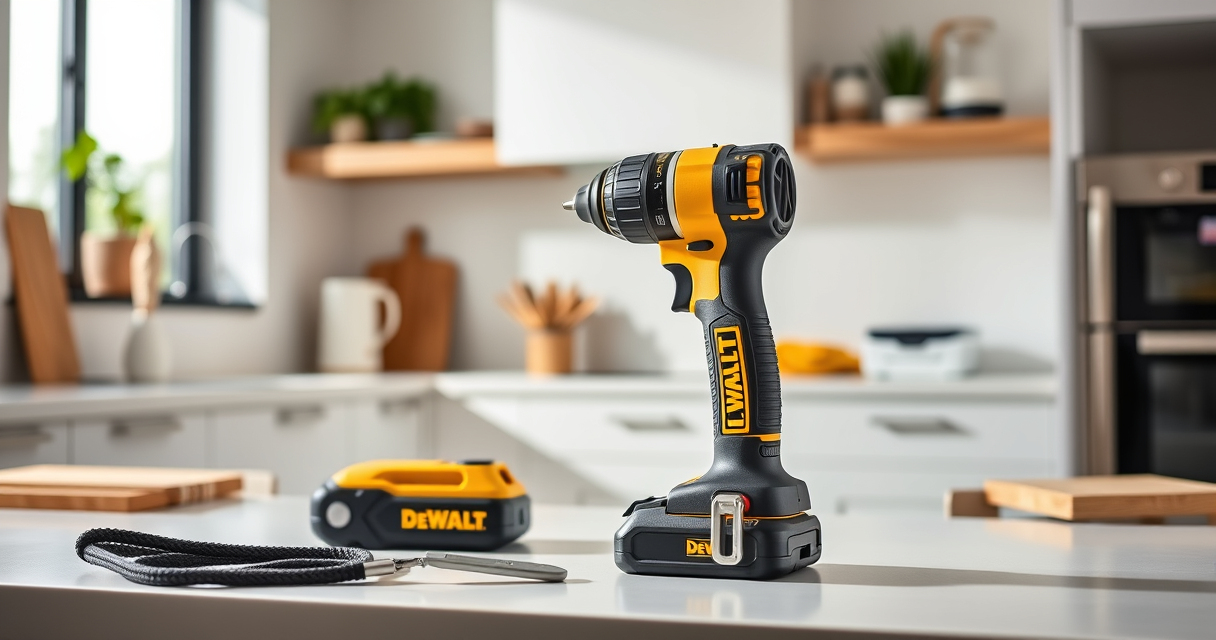

If your DEWALT 20V MAX Cordless Drill and Impact Driver is overheating, it can lead to reduced performance and potential damage. Overheating is often caused by prolonged use, overloading, or inadequate cooling. Addressing this issue promptly can extend your tool’s lifespan and maintain optimal functionality.

Get garden gear delivered free with Prime
- Fast, free delivery on millions of items
- Prime Video, Amazon Music and more included
- Member-only deals all year
In this guide, we’ll walk you through clear, safe steps to troubleshoot and fix overheating problems, along with helpful tips to prevent recurrence. Proper maintenance and understanding your tool’s limits are key to safe operation.
Key Takeaways
| Avoid prolonged use | Overuse without breaks causes overheating. |
| Check for overloads | Excessive pressure or jammed bits can cause heat buildup. |
| Ensure proper ventilation | Keep vents clean and unobstructed. |
| Use compatible batteries | High-quality batteries prevent voltage issues leading to overheating. |
| Regular maintenance | Cleaning and inspecting your tool extend its lifespan. |
Identify the Overheating Symptoms
Before attempting repairs, recognize the signs of overheating. Your DEWALT drill may become unusually warm to the touch, emit a burning smell, or suddenly shut down during operation. Sometimes, the LED indicator (if available) may flash or turn off, signaling thermal protection activation. Understanding these symptoms helps pinpoint the issue early, preventing damage.
If your tool frequently overheats after a short period of use, it’s essential to investigate the cause rather than just waiting for it to cool down. Consistent overheating indicates underlying problems that need troubleshooting.
Step 1: Allow the Tool to Cool Down
- Immediately stop using the drill when you notice excessive heat or a burning smell.
- Unplug or remove the battery to disconnect power.
- Place the tool in a well-ventilated area away from direct sunlight or heat sources.
- Allow at least 30 minutes for the internal components to cool down completely before further inspection or use.
For safety, never attempt to open the tool while hot, as internal components may be hot or under pressure. Cooling down is the first step to prevent further damage.
Step 2: Clean Ventilation Openings
Over time, dust, debris, and lint can block the vents, reducing airflow and causing the motor to overheat. Use a dry, soft brush or compressed air to carefully clean all ventilation slots on your DEWALT drill.
Ensure no debris is lodged inside the vents. Proper airflow is vital for heat dissipation, especially during extended use or heavy-duty tasks. Regular cleaning can prevent overheating caused by poor ventilation.
Step 3: Check and Replace Batteries if Necessary
Low or faulty batteries can cause the tool to work harder, generating excess heat. Use only high-quality, compatible batteries like the DEWALT 20V MAX 5 Ah Lithium-Ion Battery (DCB205-2) to ensure consistent power and prevent voltage irregularities.
If your batteries are old, swollen, or not holding charge properly, replace them. Always store batteries in a cool, dry place and avoid exposing them to extreme temperatures.
Step 4: Avoid Overloading and Use Correct Settings
Overloading your drill by applying excessive pressure or using it on tough materials beyond its capacity can generate excessive heat. Use the variable speed trigger to match the task, and do not force the tool.
For delicate work, set the appropriate speed and avoid continuous operation without breaks. Using the correct drill bits, like the DEWALT Drill Bit Set, reduces strain and heat buildup.
Step 5: Perform Routine Maintenance
Regularly inspect your drill for signs of wear or damage. Lubricate moving parts if recommended by the manufacturer, and tighten any loose screws or components. Keeping your tool clean and well-maintained helps it operate efficiently and reduces overheating risks.
Replace worn brushes or damaged parts promptly to avoid overheating caused by mechanical issues.
The Products in This Guide

DEWALT 20V MAX Cordless Drill and Impact Driver
- ✔ Battery Capacity: 20V MAX, 5Ah
- ✔ Chuck Type: Quick release hex
- ✔ LED Light: Yes

DEWALT Drill Bit Set
- ✔ Material: High Speed Steel
- ✔ Number of Bits: 14
- ✔ Tip Design: Split point
DEWALT 20V MAX Cordless Drill and Impact Driver
The DEWALT 20V MAX Cordless Drill and Impact Driver is a versatile and dependable tool, but like all power tools, it requires proper maintenance to prevent overheating. Follow the troubleshooting steps outlined here to keep your tool running smoothly and safely.
Pros:
- Compact and lightweight design
- Ergonomic comfort grip
- Bright LED for visibility
- Variable speed control
Cons:
- Can overheat with prolonged use
- Ventilation slots may clog
- Battery life dependent on usage
Best for: DIY enthusiasts and professionals needing reliable, portable power
Not ideal for: Heavy-duty continuous operation or extreme environments
Bottom line: Regular maintenance and mindful use keep your DEWALT drill from overheating and performing at its best.
DEWALT Drill Bit Set
Pair your DEWALT drill with this 14-piece drill bit set featuring 135-degree split point tips. These bits are durable, rust-resistant, and designed for versatile use across plastic, wood, and metal, ensuring efficient drilling and reducing strain that can cause overheating.
Pros:
- High-speed steel construction
- Split point design reduces walking
- Includes multiple sizes
- Corrosion-resistant coating
Cons:
- May not fit larger drill chucks
- Limited to general drilling tasks
- Some bits may wear faster with heavy use
Best for: Home repairs, woodworking, metal projects
Not ideal for: Heavy industrial applications
Bottom line: A reliable drill bit set that complements your DEWALT drill for versatile projects.
Frequently Asked Questions
Why does my DEWALT drill overheat so quickly?
Overheating can result from prolonged continuous use, excessive pressure, clogged vents, or using incompatible batteries. Follow troubleshooting steps to identify and fix the cause.
How often should I clean the ventilation slots?
Regular cleaning is recommended every few uses, especially if you notice increased heat or reduced performance. Use compressed air or a soft brush to keep vents clear.
Can I use my drill immediately after it overheats?
No. Always allow the tool to cool down completely before resuming use to prevent further damage and ensure safety.
What type of batteries should I use to prevent overheating?
Use high-quality, compatible batteries like the DEWALT 20V MAX 5 Ah Lithium-Ion Battery for consistent power and reduced risk of overheating caused by voltage irregularities.
How can I prevent my drill from overheating during heavy use?
Use the correct speed and pressure, take breaks during extended work sessions, keep the tool clean, and avoid overloading it beyond its capacity.
Keep Your DEWALT Drilling Powerhouse Cool and Efficient
Proper maintenance and mindful use are essential to prevent overheating of your DEWALT power tools. Regularly cleaning vents, using compatible batteries, and avoiding overloading will help ensure your tool lasts longer and performs reliably. Remember, a cool and well-maintained drill is a safe and effective tool for all your projects.
Affiliate disclosure: As an Amazon Associate we earn from qualifying purchases. Prices and availability are accurate as of the time of publishing.
Halloween Picks
halloween
As an affiliate, we earn on qualifying purchases.